2. Right click the big folder/file size. Select 7-Zip | Add to archive...
3. [Add to Archive] window will pop up. Type directly inside the split combo box your desired size. For this example, 100m stands for 100MB.
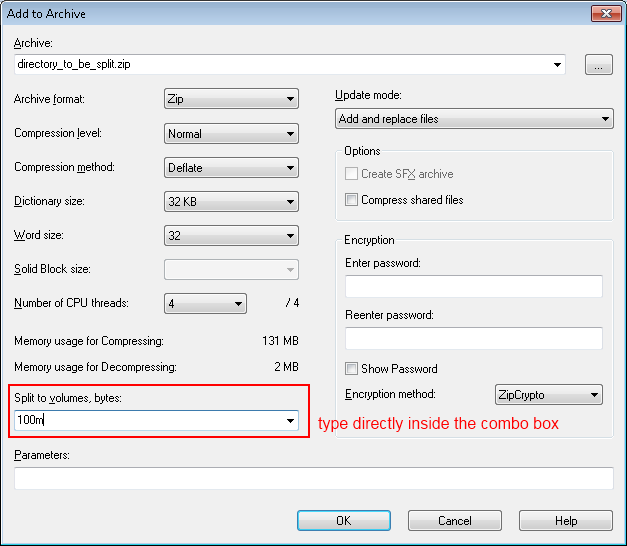
5. The directory will be split to multiple parts. The multiple split parts will be named as directory_to_be_split.zip.001, directory_to_be_split.zip.002 .. directory_to_be_split.zip.nnn where n is an integer from 0 to 9.


No comments:
Post a Comment